# Deploy my own blog with hexo(theme: Shoka) and github
# Prepare
- a github account
- install Git(get ssh working) and Nodejs on your PC or Mac
# Hexo
- install
sudo npm install -g hexo-cli
without sudo may encounter permission issues result in install fail - init your blog folder
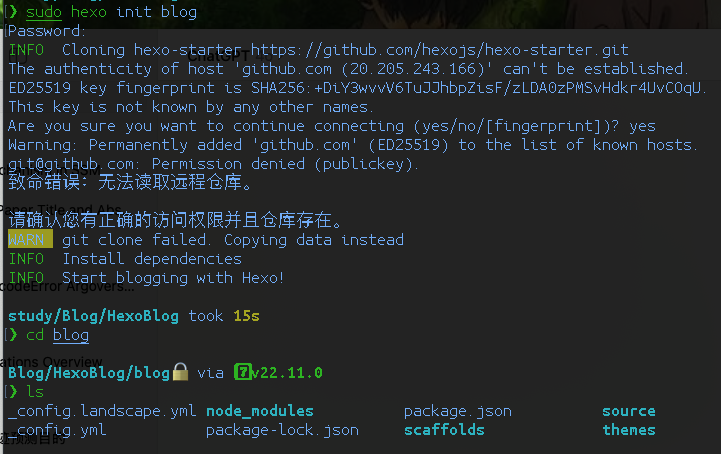
hexo init blog
cd blog

- install some dependencies
sudo npm install
sudo npm install hexo-deployer-git --save - get writing root for blog file
sudo chmod -R 777 blog - preview your blog
hexo s
visit http://localhost:4000/ you will see your blog page - (optional) download a theme from https://hexo.io/themes/ and move the file to /blog/themes
- the Shoka theme is here https://github.com/amehime/hexo-theme-shoka
# Github pages
- create a repository namely username.github.io
- modify the deploy section in /root/_config.yml
1
2
3
4
| deploy:
type: git
repo: https://github.com/username/username.github.io.git
branch: main
|
- after coding your blog, you can deploy it
hexo g
hexo d - visit http://username.github.io then you will see your blog
# Create a new blog
hexo new "new blog name"
put the picture in file with the same name of the new blog
- note: the title should not include special symbol such as ‘&’
# Back up the source code in another branch of the repo
refer to https://blog.51cto.com/u_14233037/5824524
- enter the .deploy_git(hidden file) folder
cd .deploy_git - create a branch called src
sudo git branch src - then copy the .git(also hidden) file to the blog path(parent directory)
- associate the path to the repo
sudo git remote add origin https://github.com/username/username.github.io.git - run the command you will see the repo info
sudo git remote show origin - 添加保存改动
1
2
| sudo git add .
sudo git commit -m "source code updata"
|
- change to the src branch
sudo git checkout src - pull your local source code to the repo
sudo git push origin src:src - every time update following commands are needed
1
2
3
4
| sudo git add .
sudo git commit -m "xxx"
sudo git checkout src
sudo git push origin src:src
|